
You can move an AI-built website into WordPress by rebuilding it in a page builder, turning it into a custom WordPress theme, or deploying its finished browser frontend with a compatible publishing tool. Choose the first two if native WordPress editing is essential. Choose the third if preserving your working HTML, CSS, JavaScript, and visual design matters more than block-by-block editing.
First decide what “move to WordPress” means for your site
Two outcomes often get confused. One is a design that looks like your AI site when visitors open it in WordPress. The other is a design rebuilt as native WordPress content so an editor can change sections, images, and text through the block editor or a page builder. Both can be useful, but they take different work.
YOUR MAIN PRIORITY
For example, a five-page portfolio with a distinctive layout may be easier to maintain as a finished frontend. A business site whose staff will change pricing, services, menus, or landing-page sections every week may benefit more from native editing. Neither approach is automatically better for every site.
Three practical ways to bring an AI website into WordPress
1. Rebuild it with WordPress blocks or a page builder
Keep the original AI website open as a visual reference. In a WordPress block theme or builder, recreate the header, sections, typography, spacing, imagery, and mobile layouts. Then enter the real content as editable headings, paragraphs, images, buttons, and other supported elements.
- Capture desktop and mobile screenshots of your finished AI design.
- Create matching WordPress pages and reusable header/footer elements.
- Rebuild each section using native blocks or builder components.
- Test responsive layouts and recreate any required forms or dynamic features with appropriate WordPress tools.
Best for: marketers and clients who need ongoing visual editing. Trade-off: complex layouts, animation, or custom interactions may need manual recreation. WordPress's official template documentation explains how themes and templates structure the resulting pages.
2. Convert the frontend into a custom WordPress theme
A developer can turn the AI site's shared header, footer, navigation, and page layouts into a WordPress theme. The look can stay close to the source while posts, pages, and selected fields draw from WordPress. This is often appropriate when the design is custom and the site also needs substantial CMS functionality.
- Audit the export: identify common page elements and any dynamic dependencies.
- Build theme templates and reusable parts, then load styles and scripts using WordPress conventions.
- Decide which content becomes blocks, fields, menus, or post types.
- Rebuild backend-dependent features and test updates across pages.
Best for: bespoke WordPress sites that require CMS integration. Trade-off: this is development work, not simply renaming an HTML file to a theme. The WordPress Theme Handbook documents block and classic theme architecture.
3. Deploy the finished frontend as WordPress pages
Some tools publish an existing browser-ready site within WordPress, instead of translating every element into blocks. That can preserve the layout, styling, and browser-side interactions more directly, with less redesign work. The resulting content is not automatically editable as native Gutenberg blocks.
For this approach, start with the finished HTML, CSS, JavaScript, and assets, then check whether your WordPress publishing workflow supports your files. Look for page previews, existing-URL preservation, and a reliable way to update or restore pages later. WP SiteDelivery is one option for compatible finished frontends, offering page review, protected preview, and managed updates with restore controls.
Best for: finished AI-designed marketing pages, portfolios, and other browser-based frontends that you want to keep close to the approved design. Trade-off: ongoing edits usually happen in your AI/code workflow rather than directly through WordPress blocks.
| What matters most? | WordPress builder | Custom theme | Frontend deployment |
|---|---|---|---|
| Native content editing | Usually strongest | Can be built in | Not the default |
| Preserving a complex finished design | Requires recreation | Requires integration | Often the closer starting point |
| Custom WordPress data/features | Available through WP ecosystem | Can be developed | Needs separate integration |
| Typical ongoing edits | Blocks or builder | WordPress fields and templates | Revise frontend, then update |
These are differences in approach, not performance guarantees. A specific builder, theme, or deployment tool can vary considerably.
Before you start: check what your AI tool actually gave you
Don't decide based on the AI tool's name alone. Decide based on the files and functionality you have. An HTML page and a source-code repository are not interchangeable exports.
Often the simplest type of finished frontend to publish or use as a theme reference. Confirm that images and fonts are available.
A completed browser-ready build may be usable in a frontend publishing workflow. Inspect routing, assets, and whether content depends on a server.
Raw src/ files, build tools, and dependencies are not the same as a finished website. Build/export work may be required first.
Authentication, private databases, server functions, and similar features require their own working infrastructure or a separate WordPress implementation.
Save the approved version of the website, its assets, and its important URLs before changing anything. If the AI preview relies on an outside service, test that service independently. A convincing browser preview is not proof that the exported project is self-contained.
Example: publishing a finished AI frontend with WP SiteDelivery
Here is what the third route looks like when you use WP SiteDelivery. This is a product workflow, not a claim that every AI project is supported. The interface examples below come from WP SiteDelivery's supplied product-page screenshots; they are not independent test results or customer testimonials.
Finish and approve the original website
Use your coding AI to refine content, navigation, mobile views, fonts, images, and browser-side features. Avoid redesigning it during the handoff.
Prepare a compatible site package
Give the finished frontend and WP SiteDelivery's Conversion Instructions to your coding AI, and have it prepare the required deployment ZIP. Some compatible finished exports may also be processed through the separate Converter Beta. Check its current supported inputs before relying on it.
Review destinations and preview the pages
Upload the package in your WordPress dashboard. Inspect the pages detected, their proposed URLs, and any review findings. Preview each page before approval, checking both desktop and mobile layouts.
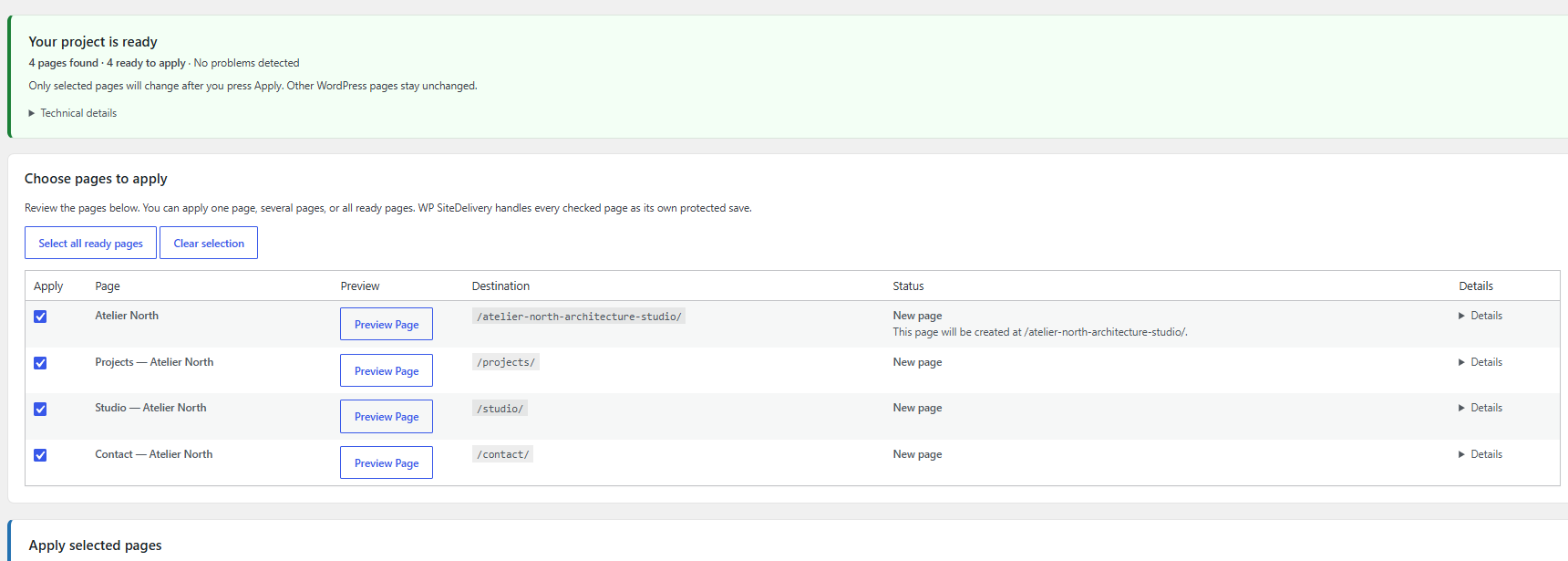
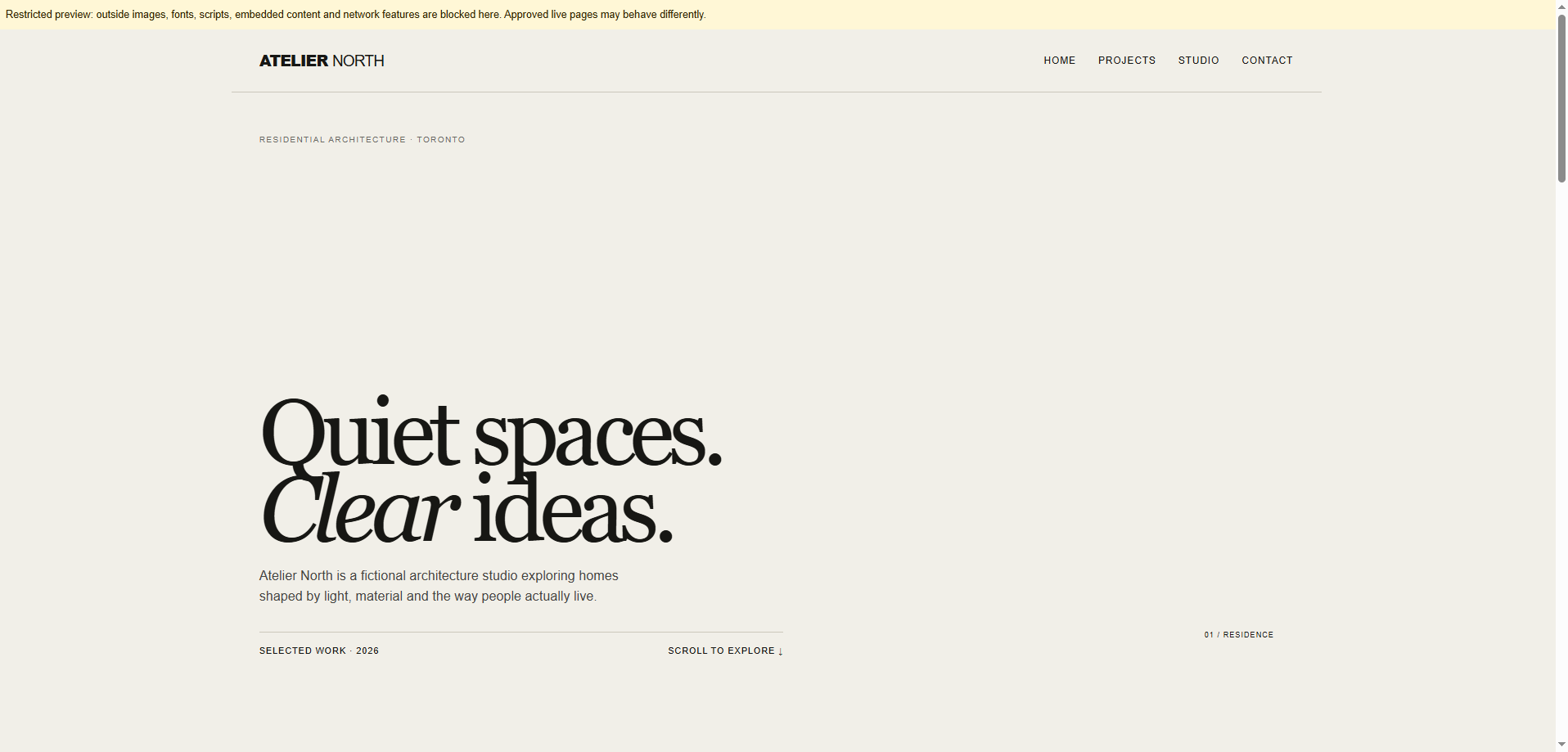
Approve, verify, and plan for revisions
Apply only the pages you intend to publish. Visit each live URL, test navigation and interactions, and inspect the mobile version. For later compatible changes, WP SiteDelivery Management supports in-place page updates with saved versions and restore controls.
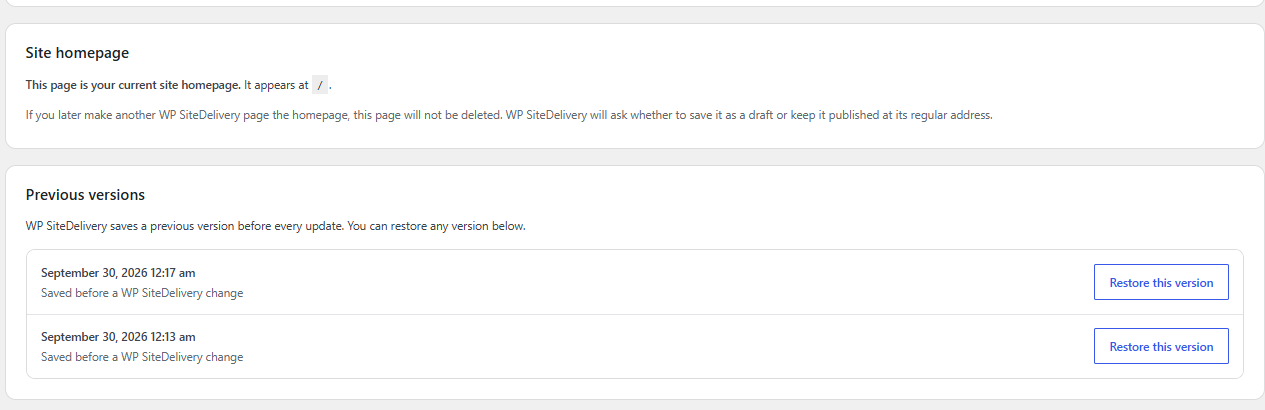
What to check before calling the move complete
The publishing method does not eliminate launch QA. Work through this checklist before directing visitors or search engines to the new pages.
- Page addresses: Check every URL, especially the homepage and navigation links. Preserve established URLs where possible.
- Content: Confirm the visible text, headings, image alt text, title, and meta description reflect the final website.
- Mobile layout: Test real phone widths, tap targets, menus, and overflowing sections.
- Functionality: Open buttons and links. Submit real test forms if present. Verify external services separately.
- Indexability: Confirm the intended pages are crawlable, not marked
noindex, and have the correct canonical URL and sitemap presence. - Updates: Make one safe test revision so you understand how the chosen approach handles future changes and recovery.
Google's guidance for search and AI features still starts with ordinary search eligibility and clear, accessible page content. Moving to WordPress alone is not an SEO shortcut.
Common questions
Can I paste AI-generated HTML directly into a WordPress page?
You can use a Custom HTML block for some markup, but that does not automatically import a site's global CSS, JavaScript, asset paths, navigation, or backend features. For a complete finished page, use a method designed for the source you have, then preview and test the result.
Will my AI website become editable in the WordPress editor?
Only if you build or convert it into editable WordPress blocks, fields, or builder elements. Publishing a finished frontend can preserve its design without making each section independently editable in the block editor.
Does this work with ChatGPT, Claude, Lovable, or Bolt?
The key question is what each tool exports. A finished browser-ready frontend is different from raw source, server-rendered code, or an app that relies on a database. Check the actual files and destination tool's requirements rather than assuming every project from a named builder converts the same way.
What if I need forms, accounts, or e-commerce?
Decide how those services will run before migrating. Moving frontend code does not automatically recreate form processing, authentication, payments, or databases inside WordPress. A WordPress-native implementation or a properly integrated outside service may be a better choice.
See how WP SiteDelivery handles the WordPress handoff
Explore the review, preview, publishing, and managed-update workflow to decide whether it fits your website. If you need block-by-block WordPress editing, one of the other approaches above may be the better fit.